



Cybersecurity is one of those topics people often associate with large companies tech experts or dramatic news stories about data breaches. Yet, in reality, online security is something that quietly affects almost everyone who uses a smartphone, computer, or the internet which, today, means nearly all of us.
What makes Cybersecurity tips tricky is not that it’s overly technical, but that many threats are invisible until damage has already been done. A hacked account stolen password or compromised device rarely announces itself in advance.
Most incidents happen because of small ordinary decisions reusing a password clicking a suspicious link ignoring a software update or trusting a message that looked legitimate at first glance.
The reassuring part is this protecting yourself online does not require advanced technical skills It mostly comes down to awareness habits and a bit of healthy skepticism.
Let’s explore practical Cybersecurity tips that genuinely help in real-world situations.
The Misconception That “It Won’t Happen to Me”
A surprising number of people believe cyberattacks only target wealthy individuals celebrities or major corporations this belief creates a false sense of safety in practice most digital attacks are automated. Cybercriminals use software that scans thousands of accounts and devices looking for easy weaknesses.
They are not always interested in who you are. They are interested in whether your password is weak, your software is outdated, or your defenses are minimal. An ordinary email account, for example, can be extremely valuable because it often serves as the recovery point for many other services.
Cybersecurity tips , therefore, is less about being important and more about being protected.
Passwords: Still Your First Line of Defense
Despite constant advances in technology, passwords remain the gateway to most digital accounts. Unfortunately, password habits are also one of the most common sources of trouble.
People naturally prefer convenience. Short passwords, familiar words, and reused credentials are easier to remember. The problem is that attackers understand this behavior very well. Automated tools can guess predictable passwords in seconds.
Stronger passwords tend to be longer rather than merely complex.
A lengthy unpredictable combination of unrelated words is far harder to crack than a short complicated looking string equally important is uniqueness using the same password across multiple platforms creates a domino effect if one service gets breached.
For anyone overwhelmed by remembering numerous credentials password managers can be a practical solution.
They remove much of the mental burden while encouraging better security practices.
Why Two Factor Authentication Is Worth the Extra Step
two factor authentication 2FA sometimes feels like an inconvenience It asks for an additional code a biometric confirmation or a secondary device check yet this minor delay provides one of the strongest defenses available for everyday users.
Even if a password becomes compromised the second layer often prevents unauthorized access this is especially critical for email accounts banking apps cloud storage and social platforms.
Many major security incidents escalate simply because attackers gain access to an email account first which then allows them to reset passwords elsewhere activating 2fa significantly reduces that risk.
The subtle danger of phishing attacks
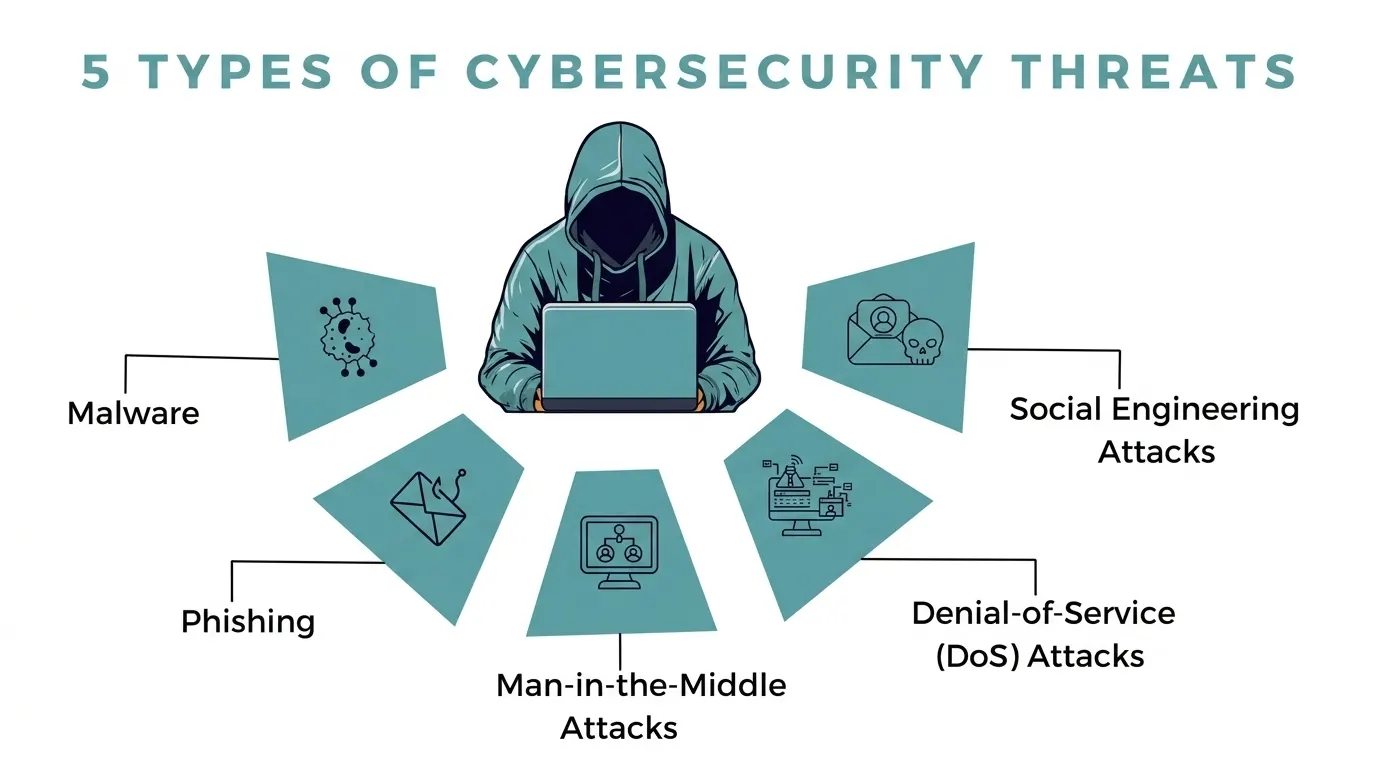
not all cyber threats involve sophisticated technical exploits many rely on deception phishing attacks are a classic example these messages are designed to appear trustworthy while nudging users toward harmful actions.
They might imitate banks delivery services colleagues or familiar platforms some create urgency Your account will be suspended while others tempt curiosity You received a secure document.
Modern phishing attempts can be highly convincing. Instead of focusing on obvious mistakes, it’s safer to cultivate a general rule: unexpected messages requesting action or sensitive information deserve caution.
Taking a few extra seconds to verify authenticity can prevent hours or even months of damage control.
Software Updates: Annoying but Essential
Software update notifications rarely inspire excitement. They interrupt workflows, demand restarts, and often seem optional. However, updates frequently contain security patches that fix known vulnerabilities.
Cybercriminals actively search for systems running outdated software because those weaknesses are easier to exploit.
Postponing updates effectively leaves doors open longer than necessary keeping operating systems applications browsers and devices updated is one of the simplest and most effective security measures available.
Public Wi Fi and Hidden Risks
Public Wi Fi networks are undeniably convenient Airports, cafés, hotels, and shopping centers offer quick connectivity when mobile data is limited. Yet open networks are inherently less secure.
The key is not fear but awareness. Convenience should not override caution.
Personal Information: More Valuable Than It Appears
Many users underestimate how seemingly trivial personal details can be misused. Birthdates, phone numbers, addresses, and travel plans may look harmless in isolation but can aid identity theft or social engineering schemes.
Social platforms, by design, encourage sharing.
Digital footprints accumulate quietly Once information becomes widely accessible controlling its spread becomes difficult.
The Role of Backups in Digital Safety
Data loss is not always the result of cybercrime.
Cloud storage external drives or automated backup systems help ensure important files remain recoverable in the case of ransomware attacks backups can be the difference between inconvenience and disaster.
Mobile devices deserve equal attention
smartphones have evolved into central hubs of personal and professional data. Emails financial apps private messages and documents often reside on these devices yet mobile security sometimes receives less attention than computer security.
Basic precautions screen locks cautious app downloads permission management, and updates significantly strengthen protection. Losing an unsecured phone can expose far more than most users expect.
Recognizing the Human Element in Cybersecurity tips
Technology alone cannot eliminate risk. Human behavior plays a decisive role in most security incidents Quick clicks misplaced trust and complacency frequently create vulnerabilities.
Developing a security-aware mindset does not mean becoming suspicious of everything. It means pausing briefly before acting especially when something feels unusual or unexpected.
Small moments of attention often prevent large problems.
Cybersecurity tips as an Ongoing Habit Not a One Time Task
Digital threats evolve constantly. New scams, tactics, and vulnerabilities appear regularly. Cybersecurity tips is therefore better understood as a continuous practice rather than a single setup.
Staying informed reviewing account protections and maintaining cautious digital habits help sustain long-term safety.
Final Thoughts Cybersecurity tips
Cybersecurity tips not require paranoia or technical mastery it revolves around consistency awareness and thoughtful decision making most successful attacks exploit predictable human behavior rather than advanced hacking techniques.
Strong passwords two factor authentication updates cautious browsing and mindful information sharing collectively create meaningful protection.
These are not complicated strategies they are practical habits accessible to nearly everyone.
In an increasingly connected world digital safety becomes less about technology and more about how we choose to interact with it.
Frequently Asked Questions About Cybersecurity tips
1.What does cybersecurity actually mean in everyday language?
In simple terms Cybersecurity tips is about keeping your digital life safe It involves protecting your devices online accounts and personal data from hackers scams and malicious software think of it as basic safety practices for the internet much like locking doors in the physical world.
2. Do regular internet users really need to worry about cyber threats?
Yes, and more than many people realize. Most cyberattacks are not personal or targeted — they are automated. Attackers scan for weak passwords, outdated software, and easy vulnerabilities. You don’t have to be famous or wealthy to be affected; you just have to be connected.
3. How do most accounts get hacked?
Contrary to popular belief, dramatic “Hollywood-style hacking” is rare.
4) Why is everyone always talking about strong passwords?
Because passwords still guard most online accounts. A weak password can be guessed or cracked surprisingly quickly. Longer, unpredictable passwords make life much harder for attackers.
Its one of the simplest changes that significantly improves security.
5.Is it really that bad to reuse passwords across different websites?
Unfortunately, yes If just one platform suffers a data breach attackers often try those same credentials elsewhere. Reusing passwords can turn a single leak into multiple compromised accounts without you even realizing it.
6. What exactly is two-factor authentication (2FA)?
Two-factor authentication adds a second verification step after your password. This might be a one-time code, fingerprint, or approval on another device. Even if someone obtains your password, the extra layer usually blocks unauthorized access.
7. How can I tell if an email or message is a phishing attempt?
Phishing messages often push urgency or curiosity. They might claim there’s an account issue, a payment problem or an important document waiting Small clues unusual sender addresses odd wording suspicious links often signal trouble. When unsure it’s safer to verify before clicking.
8. Are software updates genuinely important for security?
Very much so. Updates frequently contain fixes for vulnerabilities that attackers already know about. Ignoring updates can leave devices exposed to risks that have technically already been solved by developers.
9.Is public Wi Fi unsafe to use?
Public networks are convenient but generally less secure than private ones! Sensitive activities like online banking or entering passwords carry higher risk on open Wi-Fi. Caution, rather than avoidance, is the practical approach.
10. Can smartphones be hacked like computers?
Absolutely Smartphones face many of the same threats including malicious apps phishing attacks and data theft since phones often store extremely personal information basic security measures are just as important.
Detailed info on Redmi Note 15 5G India launch date, expected specs including Snapdragon 6 Gen 3, 108 MP camera and battery features ahead of its January 6, 2026 launch.