
If you’ve been anywhere near the internet in the past couple of years, you’ve heard about the AI chatbot wars. ChatGPT kicked things off. Claude quietly impressed everyone. And then there’s Gemini Google’s answer to the AI revolution and honestly one of the most underestimated tools in the game right now.
Whether you’re a student trying to get through assignments faster, a professional looking to automate your workflow, or just someone who’s genuinely curious about what all the fuss is about this guide breaks down everything you need to know about the Gemini AI chatbot in plain English.
What Is the Gemini AI Chatbot?
Gemini is Google’s flagship AI chatbot and large language model (LLM), built by Google DeepMind. It was originally introduced as “Bard” in early 2023 and later rebranded to Gemini in late 2023 a name that better reflected the model’s multimodal capabilities (meaning it can understand and generate text/images/audio/video and code not just words).
Think of Gemini as a supercharged Google Assistant that can actually hold a conversation help you write emails analyze documents search the web in real time, and even see what your camera is pointing at.
Gemini has been growing aggressively, capturing an 18–24% share of the generative AI market at the beginning of 2026, largely driven by its deep integration with Search, Android, and Google Workspace with roughly 750 million monthly active users.
Gemini AI Specs: What’s Under the Hood?
Let’s talk technical details the stuff that actually matters when you’re deciding whether to use it.
Current Model Lineup (2025/2026)
Gemini 2.0 released in February 2025 was designed with agentic AI in mind meaning it doesn’t just generate content it can take action interact with external tools and complete multi step tasks on your behalf this generation introduced a calling feature that lets the model interact with external services like Google Search APIs and code execution environments.
The model family includes:
Gemini 2.5 Pro The current flagship. Designed for complex reasoning, coding, and deep analysis It leads multiple AI benchmarks including the WebDev Arena leaderboard with an ELO score of 1420 and ranks highly across all LMArena categories.
Gemini 2.5 Flash Brings smarter reasoning and more efficiency, running 20/30% lighter on token usage It’s now live in the Gemini app for all users this is the sweet spot for everyday use fast capable and not resource heavy
Gemini 2.5 Flash Lite The lean speed optimized version for high volume tasks where you need quick answers rather than deep analysis.
Key Technical Specs
| Feature:- | Details:- |
| Context Window | Up to 2 million tokens (2M) |
| Multimodal Support | Text/image/audio/video/code |
| Real time Web Access | Yes (built in Google Search) |
| Agent Mode | Yes (via Project Mariner, Ultra plan) |
| Deep Think Mode | Yes (advanced reasoning) |
| Voice/Live Conversations | Yes (Gemini Live) |
| Google Workspace Integration | Docs/Sheets/Gmail/Calendar/Maps |
| Available Platforms | Web,iOS,Android,API |
1. Gemini Live Talk to It Like a Human
Gemini Live now lets users have near-real-time verbal conversations with Gemini, while simultaneously streaming video from their smartphone’s camera or screen to the AI model powered by Project Astra.For example,while walking around a new city, you could point your phone at a building and ask about its architecture or history and get answers with little to no delay.
2. Deep Research Your Personal Research Assistant
The Gemini Deep Research Agent can autonomously plan, execute, and synthesize results for multi-step research tasks. Instead of you spending hours gathering data from ten different tabs, Gemini does it in minutes and delivers a clean, cited summary.
3. Agent Mode It Actually Does Things For You
With Agent Mode (powered by Project Mariner), you tell Gemini your objective, and it pulls from live web searches, your Google apps, and external tools to get it done running in a split view where chat sits on the left and a browser-like panel handles content on the right.
This is the set it and forget it feature. It’s less about chatting and more about getting actual work done.
4. Deep Think Mode Smarter Reasoning
Deep Think is a reasoning-focused mode showing stronger performance across math (USAMO 2025), coding (LiveCodeBench v6), and multimodal benchmarks (MMMU). It’s Gemini essentially slowing down to think harder before answering useful for complex logic strategy, and technical problems.
5. Temporary Chat Privacy When You Need It
Temporary Chat allows you to have conversations that won’t appear in your recent chats or Gemini Apps Activity. These chats won’t be used to train Google’s AI models or personalize your experience giving you a clean slate whenever you need one.
6. Google Workspace Integration
This is arguably Gemini’s biggest edge over the competition. It works natively inside Gmail, Google Docs, Sheets, Slides, and Calendar. If your work already lives in Google’s ecosystem, Gemini feels less like a new tool and more like an upgrade to the tools you already use.
Gemini AI Chatbot Pricing Plans
Google introduced two main AI subscriptions: Google AI Pro (a rebrand of the $20/month Gemini Advanced plan) and Google AI Ultra at $250/month, which competes directly with ChatGPT Pro.
Here’s a quick breakdown:
| Plan | Price | Best For |
| Free | $0/month | Casual use/basic tasks |
| Google AI Pro | $20/month | Power users/students/professionals |
| Google AI Ultra | $100–$250/month | Enterprises, developers, heavy multimodal use |
There’s also a free one-year upgrade to Google AI Pro available to students aged 18 and older in select countries, including the US,Japan,Indonesia,Korea and Brazil which includes unlimited chat/image uploads/quiz generation for homework help and 2 TB of storage.
Gemini vs ChatGPT vs Claude: How Do They Stack Up?
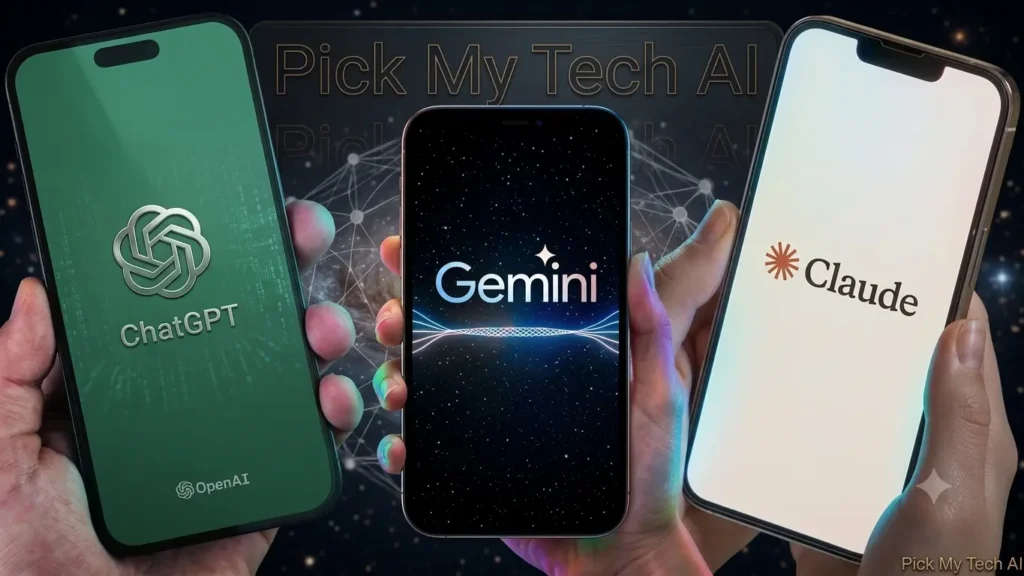
Choosing between ChatGPT, Claude, and Gemini comes down to your team’s primary use cases: ChatGPT is the most versatile all-rounder with the strongest coding capabilities and widest tool ecosystem/Claude leads on writing quality/instruction following and processing large documents with its 200K context window and Gemini wins for Google Workspace-native teams and any work requiring massive context or rich multimodal processing.
MindStudio
| Category | Gemini | ChatGPT | Claude |
| Google Integration | ⭐⭐⭐⭐⭐ | ⭐⭐ | ⭐⭐ |
| Multimodal (image/video) | ⭐⭐⭐⭐⭐ | ⭐⭐⭐⭐ | ⭐⭐⭐ |
| Long-Document Processing | ⭐⭐⭐⭐⭐ | ⭐⭐⭐ | ⭐⭐⭐⭐ |
| Writing Quality | ⭐⭐⭐ | ⭐⭐⭐⭐ | ⭐⭐⭐⭐⭐ |
| Coding | ⭐⭐⭐ | ⭐⭐⭐⭐⭐ | ⭐⭐⭐⭐⭐ |
| Research | ⭐⭐⭐⭐⭐ | ⭐⭐⭐⭐ | ⭐⭐⭐⭐ |
| Free Tier Quality | ⭐⭐⭐⭐ | ⭐⭐⭐ | ⭐⭐⭐⭐ |
| Privacy Features | ⭐⭐⭐⭐ | ⭐⭐⭐ | ⭐⭐⭐⭐⭐ |
For essay writing and multi-source research synthesis, Gemini is best when you need to process large amounts of reference material. For factual precision and structured arguments, Claude has an edge. ChatGPT remains the go-to for general-purpose versatility.
The truth? Most power users end up using more than one. They’re complementary tools, not mutually exclusive ones.
Who Should Actually Use Gemini?
Students The free Pro tier for students is a genuinely good deal. From quiz generation to document summarization to homework help, it handles a lot of what students actually need.
Google Workspace Users If Gmail and Google Docs are your daily drivers, Gemini’s integration is seamless in a way no competitor can match right now.
Researchers The Deep Research agent and the 2M token context window make it ideal for synthesizing large volumes of information quickly.
Content Creators Real time web search multimodal inputs and image understanding make it a capable creative partner.
Developers The API access,Vertex AI integration and agent-building tools (including the new Google Antigravity platform) make it worth exploring for building AI powered applications.
Frequently Asked Questions (FAQs)
Q: Is Gemini AI free to use?
Yes! You can use Gemini for free at gemini.google.com with no sign-up friction. The free tier is genuinely capable you get access to Gemini Flash, web search, image understanding, and basic document work. Paid plans unlock more powerful models and features.
Q: What’s the difference between Gemini 2.5 Pro and 2.5 Flash?
Pro is the heavyweight slower but more thorough, built for complex tasks, coding, and nuanced reasoning. Flash is lighter and faster, optimized for everyday conversations and high-volume use. For most casual users, Flash is more than enough.
Q: Can Gemini access the internet in real time?
Yes. Unlike some AI models that rely on training data with a knowledge cutoff,Gemini has real time Google Search built in. This makes it much more reliable for current events,recent news and live data.
Q: Is Gemini better than ChatGPT?
It depends on what you’re using it for. Gemini is best for users in the Google ecosystem, multimodal tasks, and anyone wanting AI integrated with their existing Google workflow. ChatGPT remains the most widely used AI assistant with a broader tool ecosystem. Claude tends to excel at long-document work and precise writing. There’s no single “best” each has its strengths.
Q: Is Gemini safe to use for private or sensitive work?
The Temporary Chat feature means your conversation isn’t saved or used to train Google’s models. For enterprise use, Google also offers compliance certifications and admin controls through Gemini Enterprise. That said as with any AI tool,avoid sharing highly sensitive personal or financial information.
Q: Can Gemini generate images or videos?
Google AI Ultra subscribers get access to video generation with Gemini Omni, and image understanding is available across plans. Full generative image/video capabilities are expanding but are currently more limited compared to text generation.
Q: What is Gemini Live and how do I access it?
Gemini Live’s camera and screen-sharing capabilities are now available to all users on iOS and Android. Just open the Gemini app,tap the Live icon and you can start a real time voice and video conversation with the AI.
TechCrunch
Q: Does Gemini work on mobile?
Absolutely. The Gemini app is available on both iOS and Android, and it’s one of the slicker mobile AI experiences out there especially if your phone is an Android, where Gemini is increasingly integrated at the OS level.
Gemini has come a long way from its early Bard days when people weren’t exactly blown away by it. Right now, in 2026, it’s a genuinely compelling AI assistant particularly if you’re already living in Google’s world.
The 2M token context window is unmatched. The real time search integration is seamless. The multimodal capabilities are class leading and the free tier is legitimately useful not a watered down teaser.
Is it the best AI for everything?No. But for research, productivity within Google Workspace, and real world multimodal tasks it’s hard to beat. And with Gemini 3 rolling out through 2026, the pace of improvement shows no signs of slowing down.
Worth trying? Absolutely. Worth paying for? If you’re a heavy user or a student probably yes.